

Digital oscilloscope
A digital oscilloscope has many advantages over its analog counterpart, like the ability to capture single events, and to display what happens before the trigger.
You can build a digital oscilloscope simply by hooking an ADC and an FPGA together.
This particular design uses an 100MHz flash ADC, so we are building an 100MSPS (mega-samples-per-seconds) oscilloscope.
This oscilloscope design is interesting because it shows how powerful and useful modern FPGAs can be. But if you are new to FPGA technology, keep that in mind this is not the easiest design to understand on this site.
HDL design
Or how to create the oscilloscope logic inside the FPGA.- HDL part 1 - FIFO-based design.
- HDL part 2 - RAM-based design.
- HDL part 3 - Trigger mechanism.
- HDL part 4 - More functionality.
Hardware
- This design was created using the Flashy boards.
- See also the "hands-on" page on how to build a simple oscilloscope.
Software
- History, features, screen shots.
- See also the interference patterns page.
Screenshot
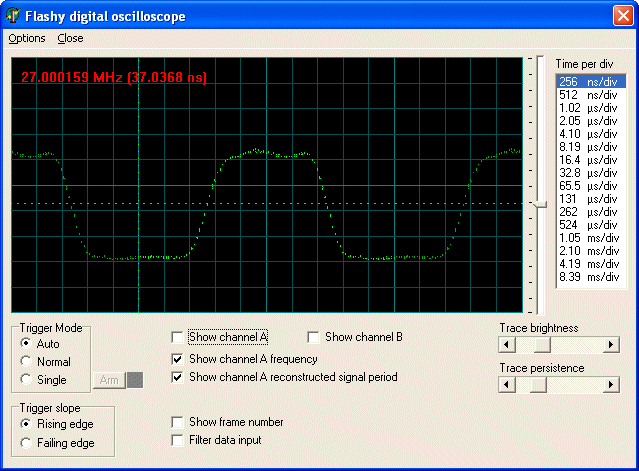
Here's the view of a 27MHz signal, sampled at 100MHz and reconstructed using the "sample equivalent time" technique.
Links
- How to build a digital oscilloscope based on the ADC0804 and OpenGL
- Probing High-Speed Digital Designs from Signal Consulting, Inc.
- Information about RF connectors on Amphenol RF site.