Home
Welcome
Information


FPGA projects
Basic
Music box
LED displays
Pong game
R/C servos
Text LCD module
Quadrature decoder
PWM and one-bit DAC
Debouncer
Crossing clock domains
External contributions

Interfaces
RS-232
JTAG
I2C
EPP
SPI
PCI
10BASE-T

Advanced
Digital oscilloscope
Graphic LCD panel
Direct Digital Synthesis
CNC steppers
Spoc CPU core

Hands-on
A simple oscilloscope


FPGA introduction
What are FPGAs?
How FPGAs work
Internal RAM
FPGA pins
Clocks and global lines
Download cables
Configuration
Learn more

FPGA software
Design software
Pin assignment
Design-entry/HDL
Simulation/HDL
Synthesis and P&R

FPGA electronic
SMD technology
Crystals and oscillators

HDL info
HDL tutorials
Verilog tips
VHDL tips

Quick-start guides
ISE
Quartus

Site
News
FPGA links
HDL tutorials
Forum


Xilinx ISE quick-start guide

You can download the free ISE here.

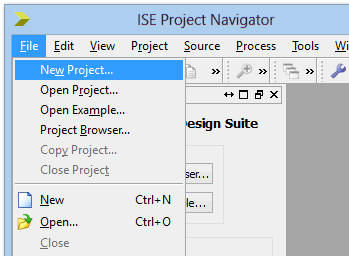
1. Create a new project

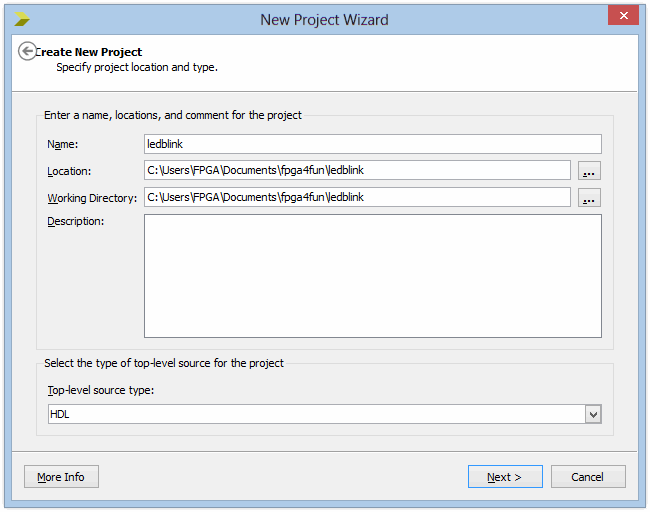
2. Select the project directory

Click "Next".

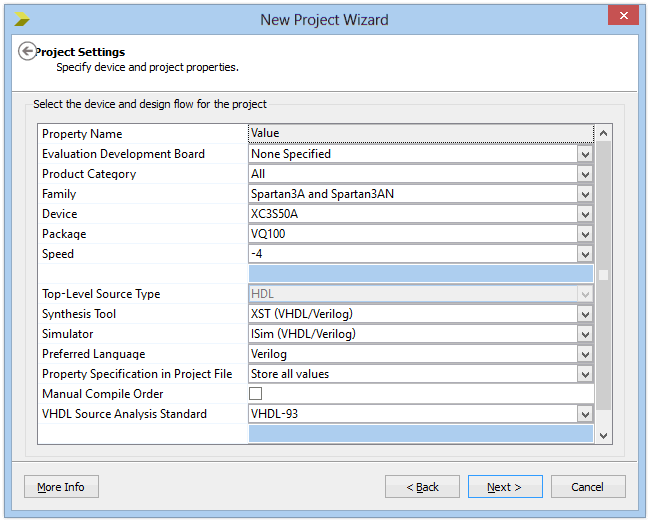
3. Select the device

For example, for a Dragon 50K, choose the Spartan-2 XC2S50 device in TQ144 package.

Click "Next".

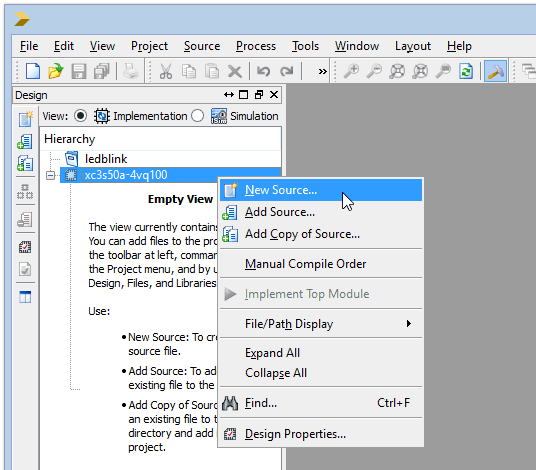
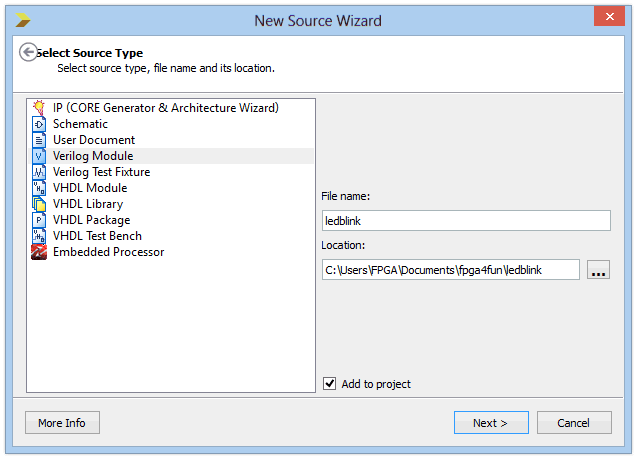
4. Select the top-level file

Click "Next" until "Finish".

5. Write the top-level file

ISE shows you the empty module template:

Type the following text (as-is, this is case sensitive):
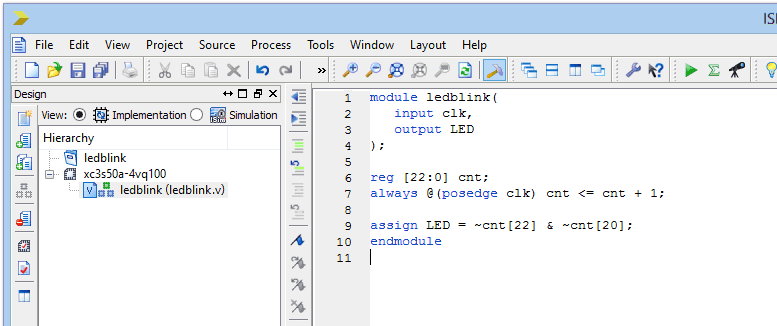
and save.

6. Assign the pins

With the "ledblink.v" file selected in the Project browser, double-click on "Floorplan IO - Pre-Synthesis". ISE analyses your design, and after a few seconds, it asks you if you want to create a "UCF" file. Say "Yes".

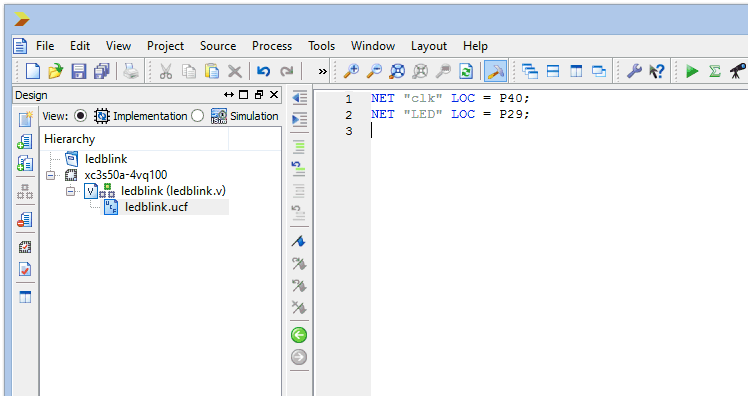
A new software ("Xilinx PACE") opens. Set the pin assignment (for example, with a Dragon board, assign P18 to clk and P51 to LED).

Save the UCF and close PACE.

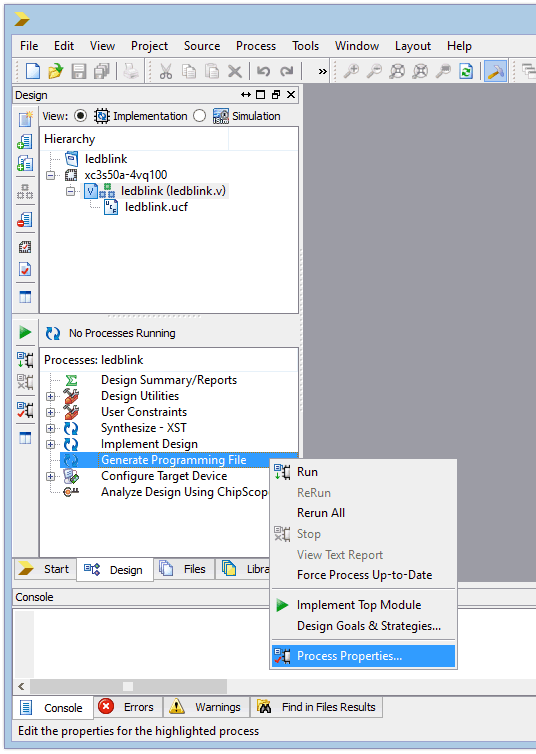
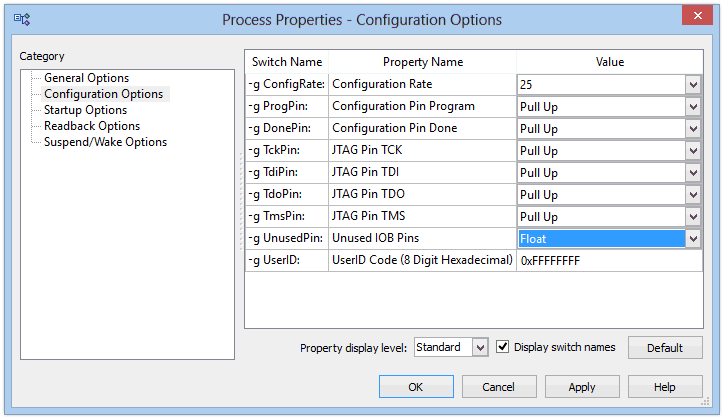
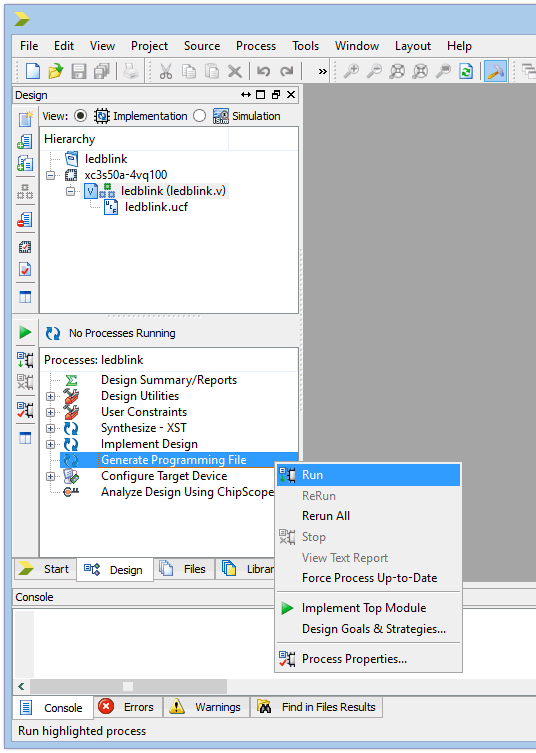
7. Compile the design

With the "ledblink.v" file selected in the Project browser, double-click on "Generate Programming File"

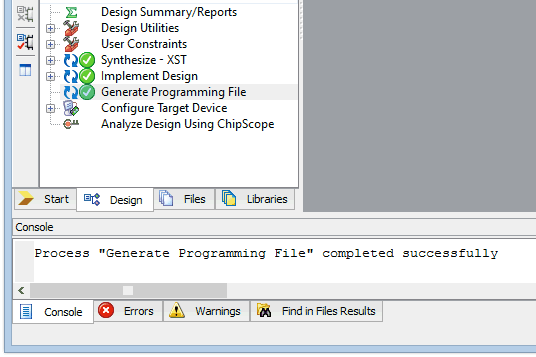
The design compiles, and after a few seconds, the design is ready to be downloaded into the FPGA.

8. Want to learn more?

Go to Xilinx's ISE 6 Software Tutorials or ISE 7 Software Tutorials pages.


This page was last updated on February 09 2009.