

Altera Quartus II quick-start guide
1. Create a new project
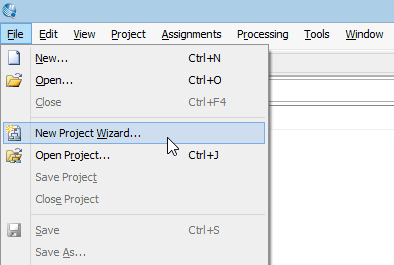
Run Quartus-II Web Edition and select the "File/New Project Wizard..." menu.
Choose a project directory and name....
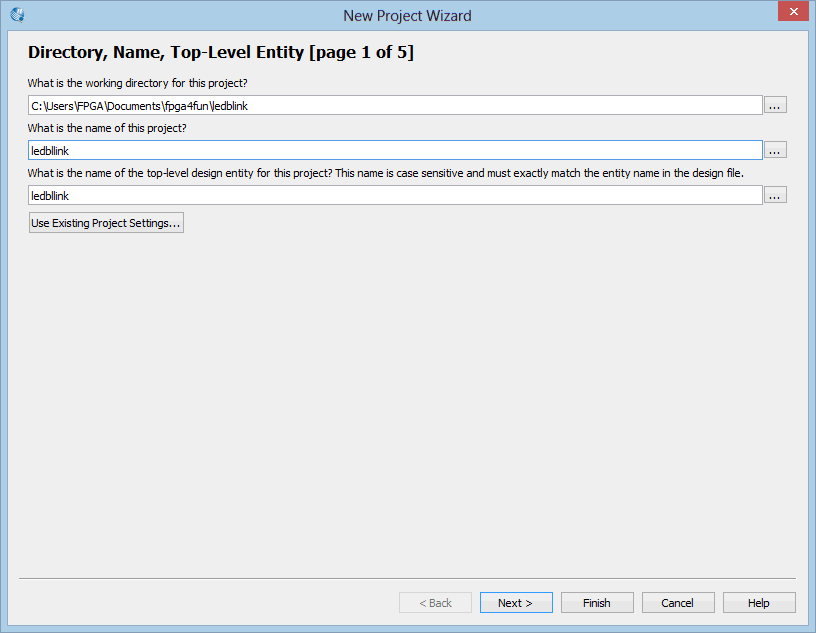
and click "Next".
Do not add files here...
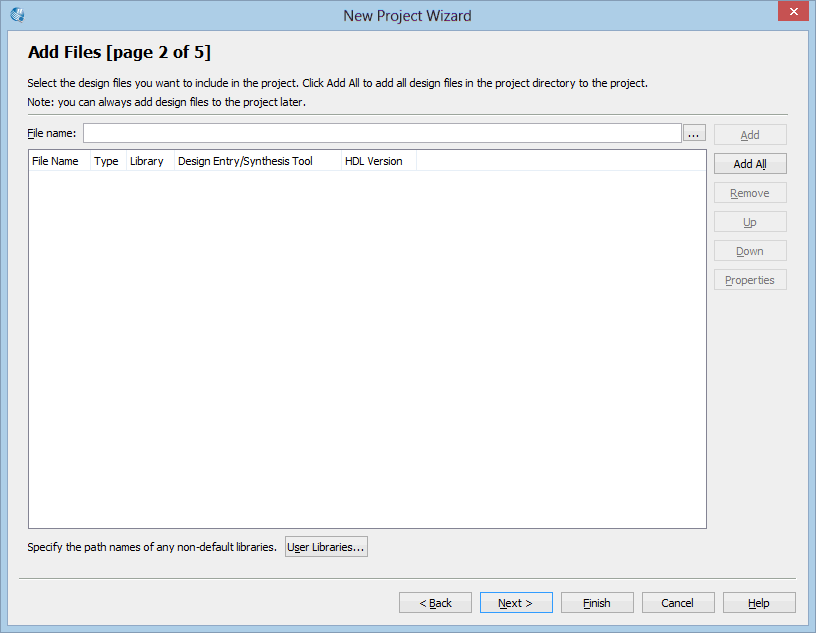
just click "Next".
Now is the time to choose the FPGA device used by your FPGA board.
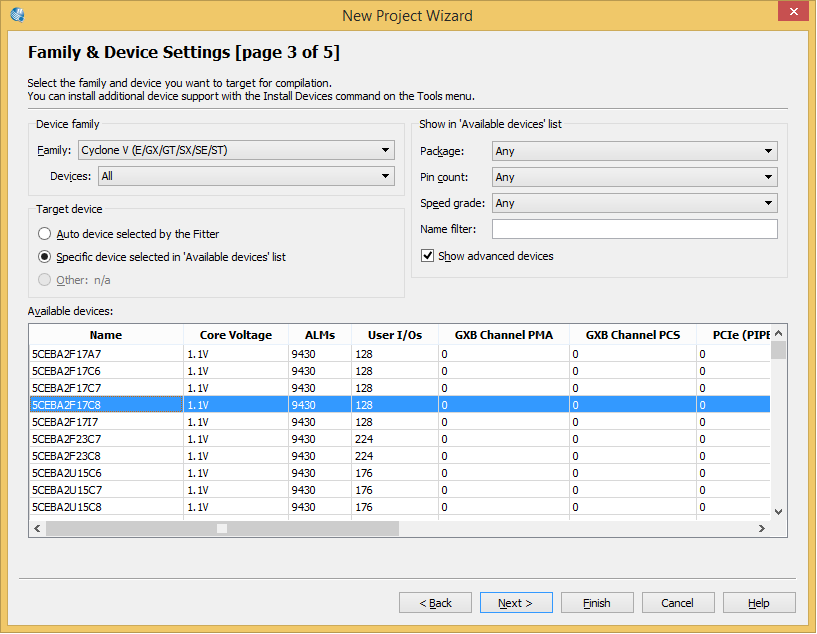
No need to go further, click "Finish".
2. Add the top-level file
Select the "File/New" menu and choose "Verilog HDL File"...
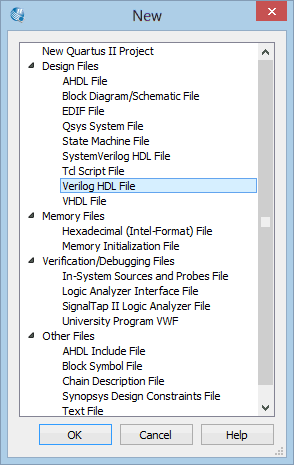
then type the following text (as-is, this is case sensitive)
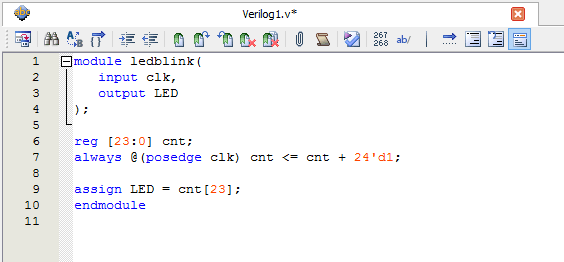
and save under the name "ledblink.v".
3. Synthesize the design
Click on the "Start Analysis & Synthesis" menu.
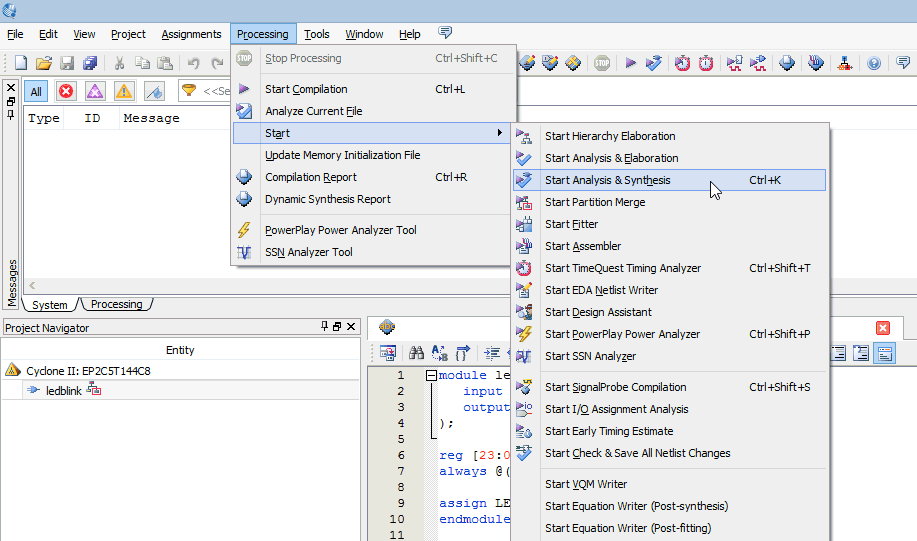
No error should be reported.
4. Assign the pins
Click on the "Assignments/Pin Planner" menu and at the bottom of the "Pin Planner" window, enter the location for the two pins "LED" and "clk".

Close the "Pin Planner" window.
5. Set the programming properties
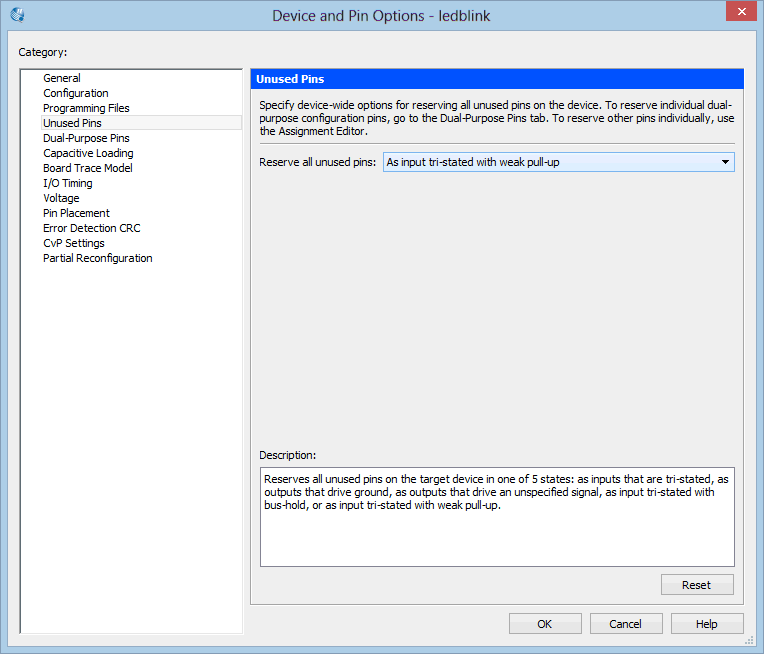
Click on the "Assignments/Device" menu and then on "Device and Pin Options"...
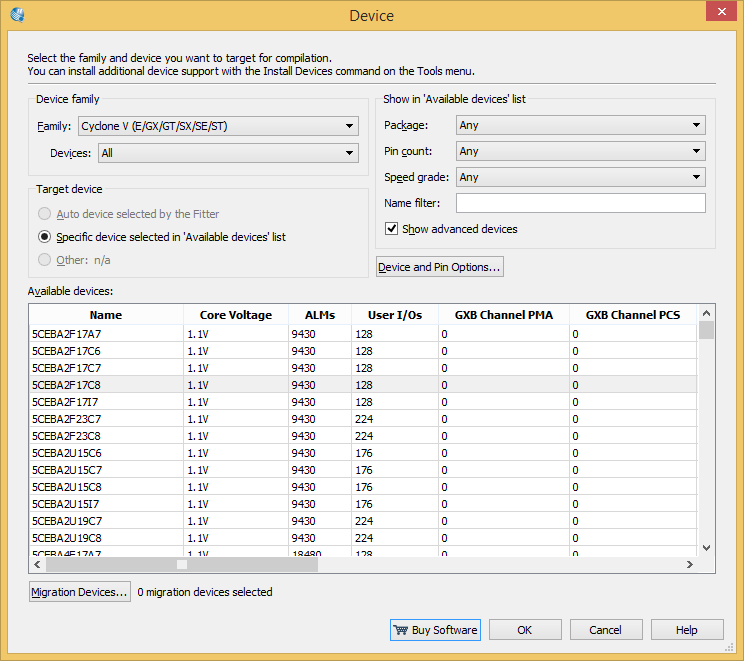
and select "As Input tri-stated with weak pull-up" for the unused pins.
6. Generate the FPGA programming file
Click on the "Processing/Start Compilation" menu.
Congratulations!
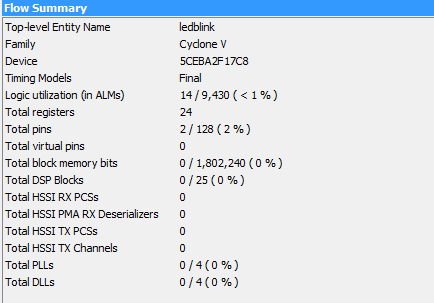
The design is ready to be downloaded into the FPGA.
7. Want to learn more?
Go to Altera's Introduction to the Quartus II Software page.